

Adobe Scan AI PDF Scanner, OCR
In-app purchases

4.7star
2.99M reviewsinfo
100M+
Downloads

PEGI 3
info




About this app
Get straight scans every time.
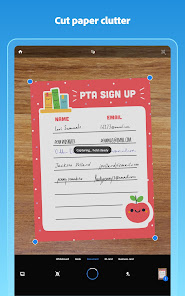
The new Straighten tool fixes pages that come out curved or tilted while you scan. It lines everything up automatically so when you make PDFs, they look neat and professional, with no extra steps needed.
The document scanner in your pocket.
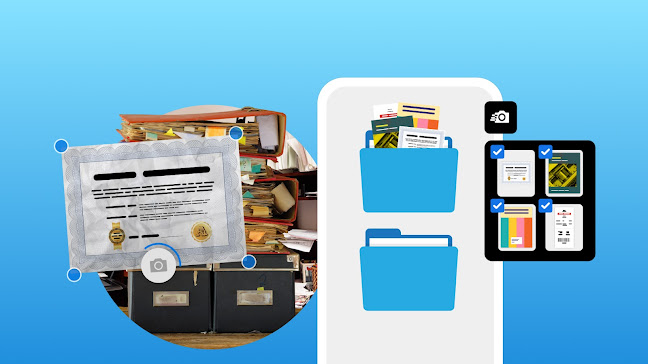
Adobe Scan is free to download and turns your mobile device into a powerful PDF maker and document scanner that helps you create, save, and organize your paper documents as digital files.
6 WAYS TO USE ADOBE SCAN
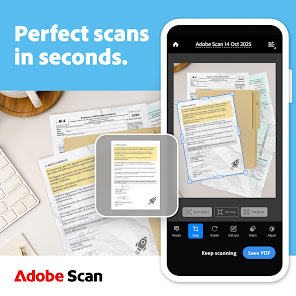
1) Save time with a fast document scanner: Use High-speed scan to bulk scan documents and make PDFs in seconds.
2) A PDF maker on your phone: Convert paper documents or printed images into PDFs or JPEGs with the mobile PDF and photo scanner app.
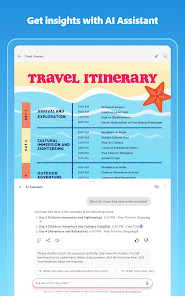
3) Ask AI Assistant to pull the key points from any scan, get follow-up answers or draft emails, reports, and next steps from your scan.
4) Use Generative summary: One tap pulls the key points from any scan, so you can find what matters and summarize your docs in a tap with AI.
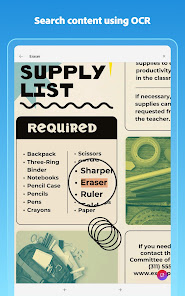
5) Turn images to text: Use the image-to-text feature to make words in your scans searchable and editable with OCR.
6) Scan anything: Receipts, IDs, notes, recipes, photos, business cards, whiteboards – the Adobe document scanner turns paper into PDF or JPEG files you can work with on your phone, tablet, or computer.
CAPTURE WITH PRECISION
• Advanced image-to-text technology detects borders, sharpens content, and makes your scans editable and searchable.
ENHANCE YOUR SCANS
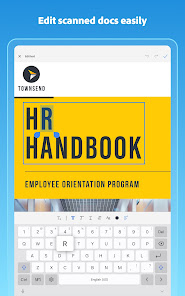
• Edit in text lets you scan words, and handwritten text, to make it editable.
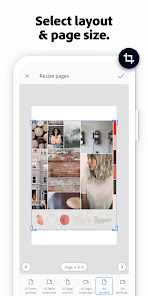
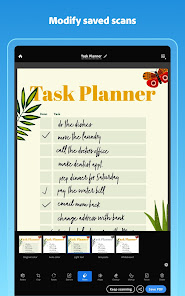
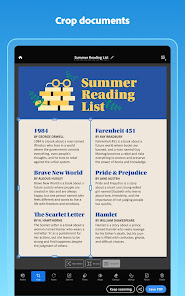
• The Modify tool in this Adobe scanner app helps you crop, rotate, resize, and adjust colors in your scans.
• Reorder pages and preview before saving.
• Adjust the brightness and contrast of your scans in just a few taps.
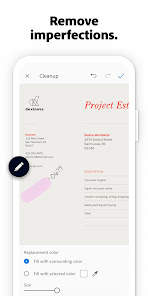
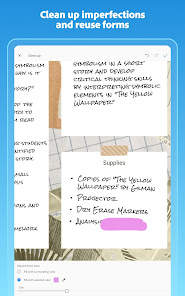
• Cleanup lets you remove and edit imperfections, erase stains, marks, creases, even handwriting.
ORGANIZE YOUR DOCUMENTS
• Scan paperwork and create custom folders for work documents, personal files, school forms, or ID scans.
• Contact details are pulled straight from business cards with the image-to-text feature, so you can save them to your phone contacts in seconds.
• Scans are automatically saved to Adobe Document Cloud for instant access and sharing.
SMART LIBRARY
• This powerful Adobe document scanner finds documents and receipts in your photo library and turns them into PDFs.
• Touch up scans or photos directly from your camera roll.
REUSE & SHARE
• A PDF scanner app that unlocks text from images – from scanned contracts to study notes – so you can copy, edit, and reuse.
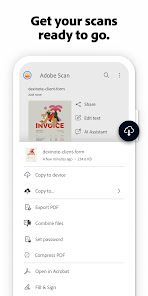
• Export your scans to Word, Excel, or PowerPoint for new formats, then share.
DO MORE WITH ACROBAT READER
• Open your PDF scan in Acrobat Reader to comment, highlight, fill forms, and sign documents.
• Access and share securely across Scan, Reader, and Acrobat on web and mobile.
IN-APP PURCHASE
• Subscribe for even more scanning power. Subscriptions work across Adobe Scan and Reader mobile apps and Acrobat on the web.
• Combine scans into one file so you can take multiple scans and consolidate into one document.
• Increase OCR capacity from 5 to 100 pages so that you can find text in multiple images.
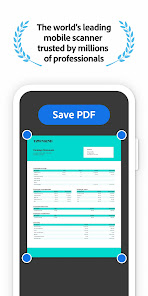
Download this free mobile scanner app and PDF maker to convert important photos and documents into PDF and JPEG files to help you stay organized. Adobe Scan is the PDF maker trusted by millions worldwide.
Terms & Conditions:
Your use of this application is governed by the Adobe General Terms of Use http://www.adobe.com/go/terms_en and the Adobe Privacy Policy http://www.adobe.com/go/privacy_policy_en
Do Not Sell or Share My Personal Information: www.adobe.com/go/ca-rights
Updated on
Events & offers
Safety starts with understanding how developers collect and share your data. Data privacy and security practices may vary based on your use, region, and age. The developer provided this information and may update it over time.


Ratings and reviews
4.7
2.93M reviews

Jim Monaco
- Flag inappropriate
September 5, 2025
Garbage page detection. App should be really good, but trying to scan multiple pages in a document wastes more time than it would save. The app searches for pages to scan but it will take basically anything: your hand, the floor, a blurry picture of a coffee mug... it snaps anything and moves to the next page. It ruins any document you're trying to scan by taking a bunch of useless pictures. If you can get it to actually take a picture of a page then it's great.
124 people found this review helpful
Adobe
September 5, 2025
Hi there! Sorry for the trouble with page detection. We understand how frustrating that can be. The app uses auto-capture by default, which may misidentify objects. You can turn it off by tapping Autoscan (left of the capture button). Manual mode gives better control. We're working to improve detection. Thanks for your input! ^SS

ABHISHEK KAPOOR
- Flag inappropriate
March 4, 2025
Adobe PDF Scanner is simply fantastic. The scan quality is truly stunning, producing incredibly clear and crisp PDFs. Beyond just scanning, the app is loaded with editing options to refine your documents. Plus, the 2GB of free cloud backup is a huge bonus. If you need a PDF scanner, this is a must-have. Highly recommend!
1,717 people found this review helpful

Emilio Echeverria
- Flag inappropriate
February 8, 2026
There's no other app that does what this app is capable off. UNFORTUNATELY it's out of reach for a good chunk of the population because of SUSCRIPTION pricing, or even SUSCRIPTION itself. The market is flooded with SUBSCRIPTIONS which the general population can not afford anymore. That's why the 4 stars.
1 person found this review helpful
What’s new
NEW — STRAIGHTEN PARTIAL PAGE SUPPORT ENHANCEMENT
Get cleaner, easier-to-read scans of books and other paper documents with new enhancements to the Straighten feature. This AI tool now detects and straightens scans faster and more intuitively.
NEW — OCR EXPANSION
Optical Character Recognition now covers even more languages. Scan printed text in Hindi, Vietnamese, and Indonesian, making documents searchable and enabling quick text selection and copying.
Get cleaner, easier-to-read scans of books and other paper documents with new enhancements to the Straighten feature. This AI tool now detects and straightens scans faster and more intuitively.
NEW — OCR EXPANSION
Optical Character Recognition now covers even more languages. Scan printed text in Hindi, Vietnamese, and Indonesian, making documents searchable and enabling quick text selection and copying.
App support
About the developer
Adobe Inc.
google-app-notifs@adobe.com
345 Park Ave
San Jose, CA 95110
United States
+1 408-536-6000


